 |
Sapphire Browser Feed your addiction – Your AppleTV & Mac just got better. |
-
Sapphire Browser Beta 7.8.2 Release Notes
-
Version 7.8.2:
- Updated French localization
- Ensure destination directory exists on cover art download
- Corrected insertion of nil into an array. This Fixes#358
- Corrected Gestures for ATV 3.0.2
- Reduced memory usage in Poster Chooser
- Increased speed of processing in scrapers
- Don’t attempt to load a nil URL in import
- Renaming to pretty name no longer starts a move process for that file
Version 7.8.1:
- Removed warning about framework version unless it is really necessary.
- Corrected exception when using auto select on a movie that returns no results. This Fixes#356
Version 7.8:
- Added Common Media Player framework which supports DVD playback on the AppleTV
- Switched importers to use scrapers from XMBC which adds background processing and improves results
- Added ability to just view descriptions in preview
- Added ability for importer to use nfo files for fetching information
- Corrected actions on VIDEO_TS directories This fixes #341
- Corrected German translations. This fixes #338
- Handle S01E01E02 in addition to S01E01-E02
- Custom virtual directories now support more numeric comparisons
- Custom virtual directories now support TV shows as well as movies
-
Sapphire Browser Beta 7.7 Release Notes
-
- Sapphire now shows a top icon on ATV version 3
- Changed TV importer to fetch series cover art when it exists
- Reduced number of filesystem actions to increase browser’s speed
- Browser now better handles preserving old selections in light of ability to delete files. This fixes #330
- iPhone remote actions now supported in more locations
- File info now shows TV show names in cases where a season or an episodes number is not present (particularly specials)
- Custom virtual directories can now define custom TV show directories
- Corrected importer when importing from invalid HTML. This fixes #327
- The spinner is now correctly centered in wait displays. This fixes #333
- Sapphire now handles naming schemes along the lines of S01E01E02 without requiring the – between the episodes numbers since they often don’t have them
- The importer’s display will no longer take so much CPU time instead it will aggregate the display updates to only update 20 times a second
- The movie importer has been corrected for IMDB changes
-
Sapphire Browser Beta 7.6 Release Notes
-
- Added take 3 compatibility. This fixes #323
- Fetching data from TVRage now has a shorter timeout (for cases where the site is unresponsive)
- Cached data from TVRage expires after a minute of no use
- Corrected import of show names from XML as well as added test case. This fixes #318
- Added ability to create custom movie virtual directories via an XML file. This was a patch by skyy99_1111. Fixes #313
- When a show is identified, a translation for the show name is added so “pretty name” versions of the files can also be identified without asking again
- Detection of no summary is more robust and corrected for changes in TVRage
The reset of metadata is now enabled if any import has been done, not just if the type has been identified - Import of multiple episode files is handled better. The search for an existing episode now searches for matching range, not just an episode whose range contains the first episode
The resume time is reset for a file when it is marked as watched - The Beta 6 series is no longer supported in favor of 7
- Background imported while browsing will now run on files which are missing TV or Movie data, not just file data
Prior changes since the last stable release can be found here.
-
Sapphire Beta 7 – CoreData Preview 6
-
After much work, we are pleased to announce a preview of the next version of Sapphire. We reorganized the entire database inside Sapphire to be both faster and more reliable. Since this preview is considered to be incomplete and not fully tested, we recommend only users who are comfortable with reading log files and following bug report guidelines attempt to run it. We would appreciate detailed reports of any issues one manages to track down.
This version will not overwrite your existing database, but rather create a new one and import your existing data into it. However, this new database will be used in all future versions, so if you decide to go back to 6.5, you will need to delete
Library/Application Support/Sapphire/metaData.sapphireDataV2before going back to 7. Data from the old database is only imported if the new database file does not exist, so any changes made in 6.5 after trying 7 will be lost when you upgrade to the final version.Download Sapphire 1.0b7.zip Preview 6 or Sapphire 1.0b7.sh Preview 6
This version has the following changes since Beta 7 Preview 5:
- Disabled the pruning step in the import in favor of auto-pruning
- Present an error when attempting to playback a DVD on the ATV rather than crashing. This fixes #312
This version is the first to be built on Snow Leopard, so it may have some new issues that we haven’t detected yet. It has the following changes since Beta 7 Preview 4:
- Naming a non-episodic TV episode now accepts a lower case S in the episode number.
- The preview pane now displays the amount of time remaining for partially watched files
- The audio and video data displayed in the preview pane only display unique tracks and subtitle tracks are displayed after the video
- A few memory leaks were fixed
- Fixed a format string vulnerability, which could result in a crash or worse
- Use a better mechanism for checking to see if an internal object is deleted when browsing directories, especially virtual directories. This fixes #308
- Brought back audio playback again
- Fixed a strange CoreData exception which can sometimes cause the Movies directory to be empty
- Update the preview pane if metadata changes on a file.
This version has the following changes since Beta 7 Preview 3:
- Added translation ability to Main Menu items. This fixes #302
- Reload posters in poster chooser upon download completion. This fixes #305
- Added translation ability to metadata display, including updates to French translations (other languages need someone who can translate for their updates). This fixes #304
- Compatibility classes loader can now detect a later version of its classes and load newer one
This version has the following changes since Beta 7 Preview 2:
- Detect when the Movies directory is really a symlink. This fixes #295
- Modified some of the Xpaths uses on importers since their behavior seems to have changed in the underlying libraries. This fixes #299
- Added French, German, Italian, and Spanish translations
- Added support for the iPhone’s remote app gestures under 2.4 (This needs further testing)
Changes since Beta 7 Preview 1:
- IMDB sorting is now corrected. This fixes #293
- File scan doesn’t run if no collections are importable
- Importer scans all collections which aren’t skipped instead of all collections which aren’t hidden. This fixes #292
- Movies with AC3 tracks do not disable the AC3 track even if other tracks are enabled. This previous action was breaking AC3 passthrough in some cases. This fixes #294
- The UI Quit menu option is now back in the top menu. This fixes #296
Changes since 6.5:
- The secondary audio/video sources of a file will now be displayed in the media preview pane
- DTS audio sources can now take advantage of passthrough
- Sapphire will now automatically generate screen caps when running in Front Row (OSX)
- A couple of subtitle extensions were missing – they have been added (.ASS & .SSA)
- The settings and mark menus have been restructured – hopefully to make them easier to understand
- Sapphire will no longer mark DVDs as collections
- Playback on MKV files with more than one audio track will now only use the first one enabled.
- PreviewPane for movies will no longer attempt to shorten a cast if it’s already short. This fixes #278
- Imports will now use the XML tag <searchIMDB> when supplied to help find movies on IMDB. This resolves #74
- Importing movies with unique titles should work again
- Added the ability to rename files using a ‘pretty name’.
- Partially watched files now have an unique gem (half red/blue)
- Added ability to delete files/directories
- Joining files will now preserve the favorite/watched status
- Added ability to move files/directories around in file system and retain metadata in the process
- Added ability to rename directories as well as files
- Movie Import will now skip IMDB titles classified as “TV Series” titles but not “TV Movies”. This fixes #235
- Files will now default to display duration instead of file size on menus.
- Sapphire will now attempt to use symlink path names instead the target path names in importers. This fixes #211
- You can now access the mark menu items for main menu collections
- You can now rename collections see #264 #254 #252
- TV Episodes without an episode number (Specials) will now be sorted by Air Date
- Fixed an issue where Sapphire wasn’t setting items as watched when video playback was stopped on ATV 2.3
-
Sapphire Browser Beta 6.5 Release Notes
-
Sapphire Browser Beta 6.4 Release Notes
-
Sapphire Browser Beta 6.3 Release Notes
-
Any TV Shows not showing up in the TV Virtual directory must be re-imported. Go to the TV-Show, and using the Mark Menu, Mark the TV Show data to be re-imported. Then run the importer again.
-
Sapphire Browser Beta 6.2 Release Notes
-
Sapphire Browser Beta 6.1 Release Notes
-
Beta 6 Release Notes
-
- Patch from Stephen for Take 2 Compatibility. This fixes #126.
- Corrected XML Meta data Overriding. This fixes #108.
- Added descriptions of settings and mark menus.
- Allowed VIDEO_TS folders to be marked as movies. This fixes #100.
- Don’t compact different movies with the same name together as the same movie if they have different release dates (Italian Job). This fixes #106.
- Special episodes are sorted into their season by air date
- Enabled Also Known As (AKA) searches on IMDB. This fixes #119.
- Patch from Stephen to allow directory names to be used in movie searches instead of file names. This fixes #120.
- Corrected Genre names with returns at the end of them. This fixes #122.
- Patch from Jeremy to reset the resume time if watched is toggled. This fixes #139.
- Significantly, reduced memory usage on background importer.
- Directory names are cropped during import to prevent two lines of display.
- Use a more lightweight poster chooser if there are a lot of posters.
- Skipping import of directories corrected. This fixes #15 (hopefully for real this time).
-
Sapphire Browser Beta 5 Release Notes
-
- Thanks to Coldy, we have retired the hideous “S” for a more appealing icon.
- Sapphire will display the correct metadata when the view is toggled.
- Sapphire will now attempt to remember which item was selected when toggling between views.
- Mark menu will now show the name of the item being marked.
- XML file data can now override filename’s values when searching for a TV ep. This fixes ticket #8.
- Sapphire now accounts for two TV episodes in one file. See ticket #14.
- Import tools in FrontRow now have a more visible “button” to start them.
- Clearing metadata for directories should work a little better.
- Individual directories can now be “Marked to Skip” effectively telling Sapphire to skip them for importing. This Fixes ticket #15 & ticket #76. We’d appreciate feedback on this feature.
- Arbitrary (physical) directories can now be marked as collections.
- Fixed a typo in the TV Show importer – it’s text now on topic.
- Optimized several mechanisms dealing with Virtual Directories.
- For consistency, Sapphire will now revert AC-3 Passthrough to whatever setting it was before it played an AC-3 encoded file.
- Updated the methods Sapphire uses to detect mounted drives. This should result in more accurate results.
- Sapphire’s translation lists have been stripped of path extensions. This will come in handy later.
- Cleaned up the deallocation of metadata. It’s good to be tidy.
- Plugged some (small & large) memory leaks that could bog down the UI when left running for extended amounts of time.
- Sapphire now supports the Video_TS (DVD) format. Directories containing a VIDEO_TS will now be recognized as a file instead of a directory. This feature is not supported for the ATV.
- DVDs mounted directly (such as a mounted optical drive) will be playable from the main menu.
- Fixed an error that was causing Sapphire to crash when loading metadata. This fixes ticket #47.
- Sapphire is now capable of importing files in the background.
-
Sapphire Browser Beta 4.2 Release Notes
-
- Enabled exception logging.
- Movie importer will now properly identify movies that won only one Oscar.
- TV show importer can now handle summaries with nested font objects. This fixes ticket #25.
- Audited code related to timers. This fixes ticket #31.
- The TV show importer will be more resilient to the oddities (such as ?? episodes) of TVRage.
- Improved the filtering of the movie importer. This fixes ticket #32.
- Clearing the metadata of a file/directory will now actually work.
- Improved the method sapphire uses to look for Collection Art. This should help sapphire scroll through menu lists (such as TV Shows virtual directory) with less effort.
-
Sapphire Browser Beta 4.1 Release Notes
-
- Fixed an issue with the movie importer that was causing some movie titles to be omitted from the movie title chooser. This fixes #32.
- We have changed the way Sapphire stores cover art. Once the importers have been ran, Sapphire will automatically create folders to house your cover art. See Collection Art for more details.
-
“~/Library/Application Support/Sapphire/Collection Art/@TV/”
- Sapphire will download all TV show screen caps to this directory and place them in the appropriate sub-folders. ShowName/Season #/
- Placing a cover.ext in any of these directories will have sapphire display them as directory art.
- for example: the file: “~/Library/Application Support/Sapphire/Collection Art/@TV/24/cover.ext” will display as the default cover art for all 24 episodes where “~/Library/Application Support/Sapphire/Collection Art/@TV/24/Season 3/cover.ext” would display for any third season 24 episode.
-
“~/Library/Application Support/Sapphire/Collection Art/@MOVIES/”
- Sapphire will download all posters to this location.
-
“~/Library/Application Support/Sapphire/Collection Art/@TV/”
- Users now have the option to “Hide Poster Chooser” in the settings menu. This tells Sapphire to automatically pick a poster to use for a given movie without the user needing to select a poster during the movie import.
- Movie Importer will no longer give the user an empty title chooser.
- Fixed issue with no posters found causing an exception. This fixes ticket #26.
- The File Joiner menu has been improved.
- Fixed various spelling and grammar errors.
- All menus can now wrap around. This should help users transitioning between the top and bottom of a menu more quickly.
- Users will now see “Premiered” date for movies instead of “Released” when previewing a movie in the browser.
- Added badges to the Title Chooser lists. This should help with accidentally selecting the correct title in the wrong importer.
- Users can now delete metadata for individual files or folders using the Mark Menu.
- Fixed an issue where the import tools wouldn’t flush their queues when the import process was canceled. Changing the skipped collections will no longer require sapphire to be restarted.
-
Sapphire Browser Beta 4 Release Notes
-
- Browser listings will ignore leading “A”s and “The”s from titles when sorting alphabetically.
- Movie and TV Show title choosers now have a much wider selection list. This should help when selecting titles since the user won’t have to wait for the text to scroll.
- Added the ability to hide Video info in the Media Preview.
- Added the ability to hide Audio info in the Media Preview.
- Appropriate movies will be adorned with an Oscar or IMDB badge for winning an Oscar or being in the IMDB Top250.
- Virtual directories are now loaded in the background. This allows for faster loading from the AppleTV menu. The user will be stalled with a load screen if they aren’t ready when selected.
- Settings menu now has some more appropriate icons.
- Added ability to join together multiple files into one. Great for movies which were segmented. Access this through the mark menu.
- Sapphire is now compatible to run on Leopard (10.5). This compatibility is processor independent.
- Sapphire now has Virtual Directories. These directories are compiled directly from the metadata and are independent of a files actual directory location.
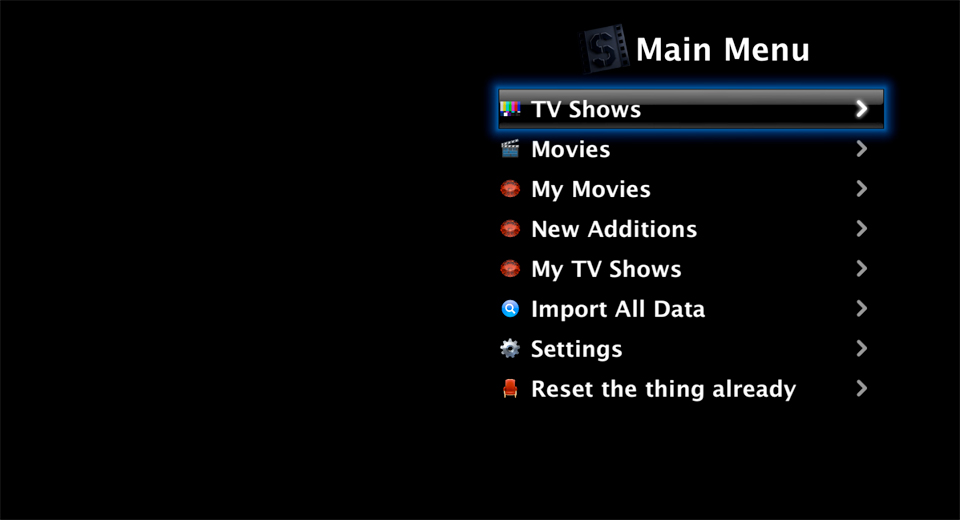
- TV Shows – All recognized episodes are displayed here with the following structure:
- Show Name
- Season
- Episode Titles (sorted by episode number)
- Season
- Show Name
- Movies – All recognized movies are displayed here with the following structure:
- All Movies
- Movie Titles (sorted by name)
- By Genre
- Genre
- Movie Titles (sorted by name)
- Genre
- By Cast
- Actor Name (sorted by name)
- Movie Titles (sorted by name)
- Actor Name (sorted by name)
- By Director
- Director (sorted by name)
- Movie Titles (sorted by name)
- Director (sorted by name)
- IMDB Top 250 (must be ranked)
- Movie Titles (sorted by rank)
- Academy Award Winning (must have won an Oscar)
- Movie Titles (sorted by number won)
- All Movies
- TV Shows – All recognized episodes are displayed here with the following structure:
- Sapphire Media Preview now displays movie specific information.
- Release Date
- Director
- Genre
- Cast (first 3 – headliners)
- IMDB User rating
- Plot
- Added a Poster Chooser that lets the user choose which poster they want displayed for their movie files (ATV 1.1 & Front Row only).
- Added a new import tool for fetching data for movies.
- Collecting the movie’s release date from IMDB.
- Collecting the movie’s genres from IMDB.
- Collecting the movie’s director(s) from IMDB.
- Collecting the movie’s writer(s) from IMDB.
- Collecting the movie plot from IMDB.
- Collecting the movie’s oscar count from IMDB.
- Collecting the movie’s IMDB rating.
- Collecting the movies MPAA rating.
- Collecting the movie’s IMDB Top250 rank.
- Sapphire Meta Data is now using a binary format – this dramatically reduces the size if the stored metaData file.
- Sapphire is now capable of seeing all mount points & displaying them in the browser.
- Added settings that allow Allows the hiding and skipping of collections.
- The Sapphire Pill has been replaced: the Left button now changes predicates and the Right button now goes to mark menu.
- Skipping during playback has been improved to allow for finding a particular place a bit nicer.
- Added support for playing audio files.
- TV Show files are now sorted by show first, then season, then episode.
- Fixed the menu dividers to be more compatible with ATV 1.1.
- Fixed an issue when playing a video where skipping forward and then back would cause the player to crash.
- Import Tool titles should be a little more informative to what they do.
- Sapphire now has the ability to enable/disable AC3 passthrough on a per file basis. Enable this feature in the settings menu.
- Sapphire should now display more accurate sample rate information.
- Fixed Ticket #5
- Fixed Ticket #6
- Fixed Ticket #9
- Added Enhancement Ticket #12
- Changed the Sapphire ApplianceIcon.png to a smaller & better looking image
- Changed the DefaultPreview.png to the new image
- Added the TV show’s name to the S/E preview display
- Sapphire Import tools are more verbose giving the user a better idea what it’s currently doing.
- Sapphire Meta Data structure is more robust – allowing multiple paths and subpaths for a single file.
- Sapphire Import tools will now play nicely with watchdog. This should solve issues with the importers freezing and/or never starting.
- Sapphire is now using localizable strings – Time to get some translators!
-
Controlling Sapphire Browser
-
On the AppleTV:
With beta 4 we have changed the way the Apple Remote interacts with Sapphire. Specifically the left and right arrow buttons now have dedicated tasks while using the browser.

In Leopard:
The Apple remote will respond exactly the same as it does for the AppleTV (See above). In addition to the remote, you can use the keyboard to control Sapphire with the following keys:
To Select, Play or Pause use:
Return -or- Space Bar
To go back (same as hitting the menu button on the remote):
ESC
Toggle View:
Left Arrow ( <– )
Mark Menu:
Right Arrow ( –> )
Move Selector UP:
UP Arrow
Move Selector DOWN:
DOWN Arrow
-
Release Notes – 1.0b3.1
-
- Fixed an issue that was causing the UI to crash when attempting to “Mark All to Refresh TV Date”.
- File Importer is more clear about what it is doing and what files it’s working on.
- Fixed an issue that was causing the browser to crash.
- Fixed an bug causing file / directory divider to display more than once on the screen.
- Updated the meta data pruning functions to be more efficient.
- Fixed an issue that was causing Sapphire to crash when running in Finder 1.1.
- Added TV Show data fetching from tvrage.com.
- Added cover art support with the naming conventions of ATVFiles.
- Episodes will now look for folder cover art (cover.ext) up to two parent directories. This allows for a single cover.ext to be displayed by shows nested using the directory convention of: /<Show>/<Season>/episode.ext.
- TV Show fetching tool will now attempt to download cover art for individual episodes and place them in a sub-directory (./Cover Art/<filename>.ext).
- TV Show fetching tool will ask the user to select the appropriate TV Show title if it doesn’t know it.
- TV Show fetching tool isn’t as picky when it comes to CAsE senSiTiVe fIlE NAmes.
- Added episode level ATVFiles cover art support.
- Show browsers will now display the episode title and episode number instead of the file name and file size respectively if the information is available.
- Added a smaller sized default preview icon for aesthetically pleasing reflections.
- Show browser will sort shows by episode number first (when known) and then by filename.
- File Import tool will now automatically look for correctly formatted ATVFiles XML files to import file information.
- TV Show fecthing tool will now collect air dates for matched episodes.
-
Release Notes – Beta 2
-
- Fixed some texture loading issues.
- Added Fast Directory Switching – This will keep the browser from trying to find updated files when enabled.
- Added “Scan for new files” to the Favorites/Unwatched browsers. Selecting this will force the browser to refresh the file listing. This option is only visible when Fast Directory Switching is enabled in the settings menu.
-
Release Notes – Beta 1
-
We are happy to announce the first beta release of Sapphire.
Comments and any bug reports would be greatly appreciated.